
Writing Great Panel Prompts
Tips for describing scenes so the AI generates exactly what you want: shot types, mood, action, and clarity.
Start with the shot type
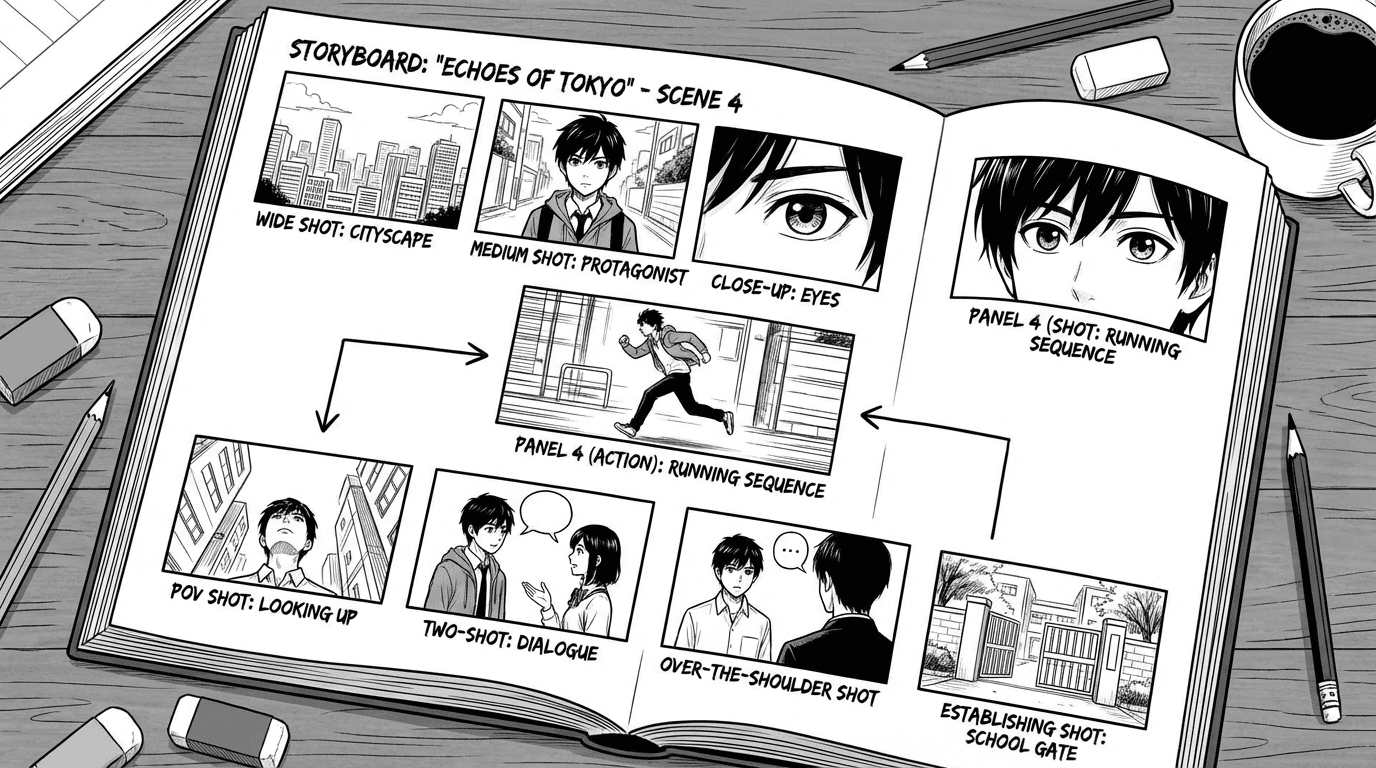
Tell the AI the framing: “Wide shot of…”, “Close-up on her face…”, “Medium shot, two characters at the table…” That sets the composition so you get a full scene versus a portrait. Mix wide establishing shots with closer emotional or action beats so your pages read like real manga.
Add location and time of day
A line like “Dojo at dawn, wooden floor, morning light through the shoji” gives the AI a clear setting. “City street at night, neon signs” is different from “same street, daytime.” Small details—rain, snow, cherry blossoms—add atmosphere and help the AI stay consistent when you mention “same dojo” in the next panel.
Describe the moment, not the backstory
Focus on what we see in this panel: expression, pose, action. “She turns away, fists clenched” is better than “She is angry because of what he said.” Use the optional narration or speech fields for text that goes in the panel; keep the main description visual so the image stays clear and on-topic.
Use Suggest from outline
If you’ve already written a chapter plan or script, use Studio suggestions to turn it into stronger panel prompts. The AI can propose a description from your story beat so you get a strong first draft. You can then edit the prompt to add mood, shot type, or detail before hitting Generate.